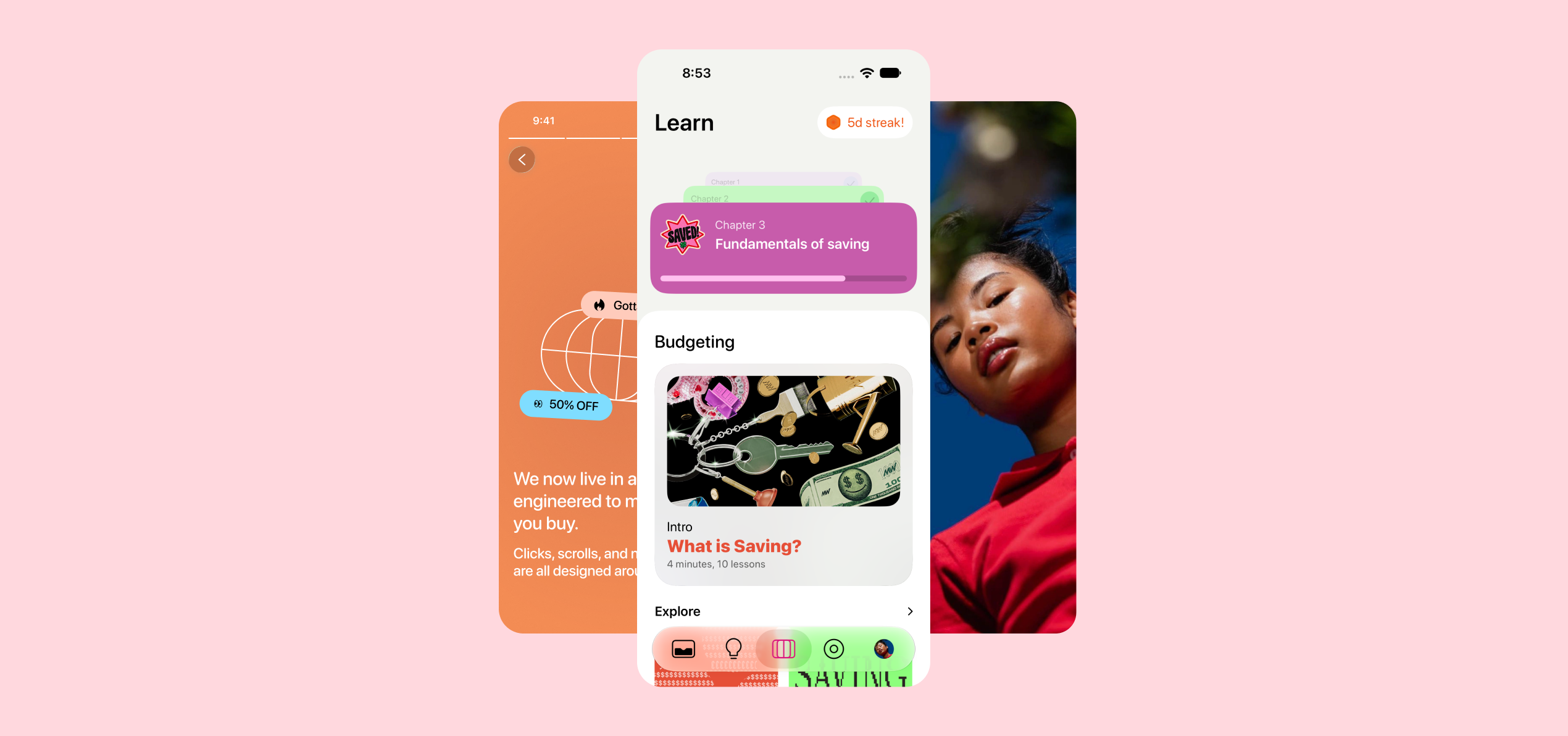
Buckaroo / Personal finance
Financial literacy for young adults saving for the first time.
Buckaroo is a money app for teens and young adults that combines a digital wallet, budgeting tools, and bite-sized financial education. It helps teens build good habits right when they start handling their own money.
The problem
Teens are entering adulthood financially unprepared.
Not every teen has access to financial education, and the tools they do have weren’t built for them. Most banking apps are designed for adults. They show balances and transactions, but they don’t teach anything or help shape how a teen spends.
The solution
A smart digital wallet with budgeting tools and personalized financial education.
Make it personal
A card someone can make their own gives the everyday check-in a little more character.
Make progress tangible
Objects, categories, and small contributions give abstract amounts a visible purpose.
Learn in the moment
Keep a short lesson close to the spending and saving decisions it can help explain.
The app at a glance
Five paths from one home screen.
Home leads to five core actions: personalize a card, review spending, move money, save toward a goal, or learn. Each path starts with a focused decision.
Starting from Home:
- Personalize card: Style & stickers, then Save design.
- Track spending: Choose a period, then See breakdown.
- Move money: Enter an amount, then Pool, Request, Pay.
- Save toward a goal: Add money, then Updated progress.
- Learn: Story & quiz, then Lesson complete.
Wireframing
Mapping the wallet, learning, and savings flows.
These wireframes explore how the core screens connect, from checking a balance to understanding spending and planning a savings goal.
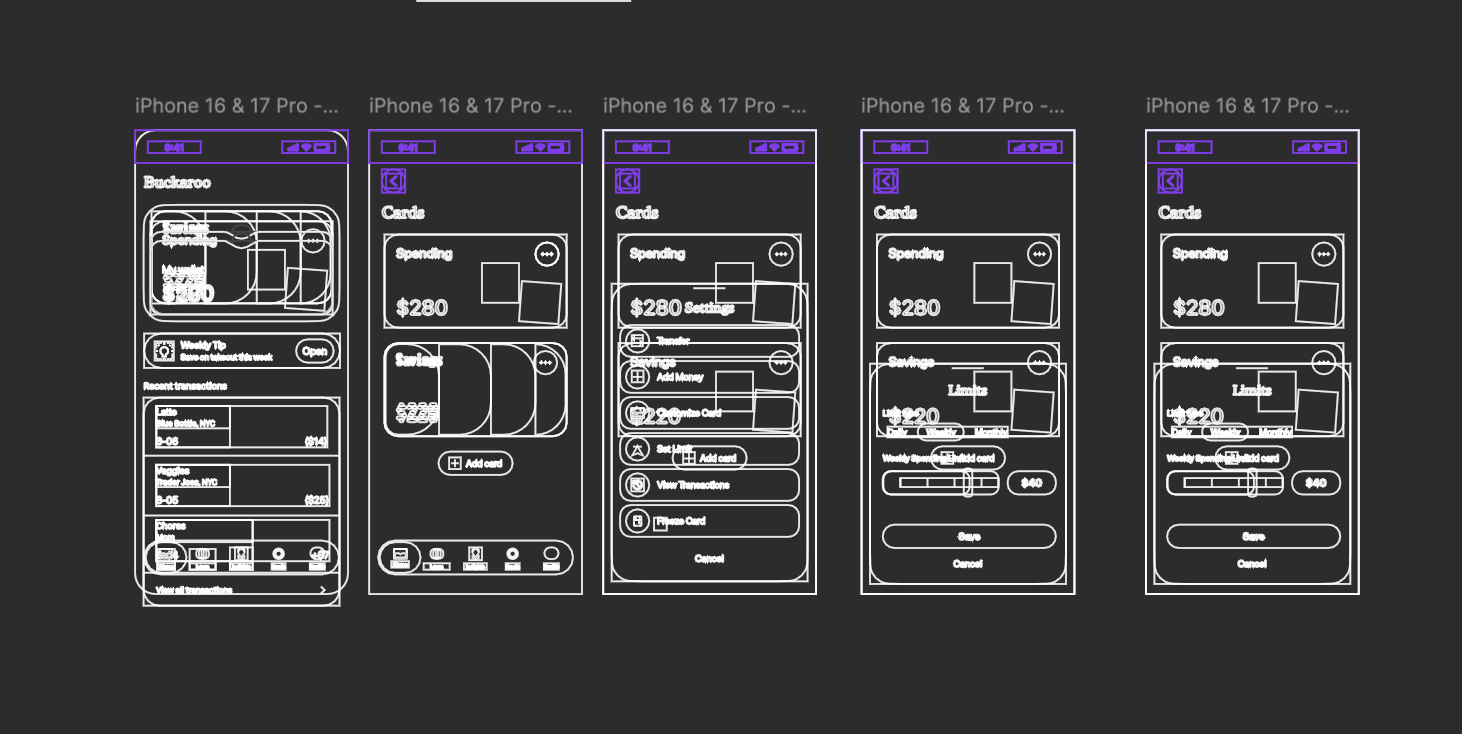
From the wallet to card controls.
Home, spending and savings cards, card actions, and weekly spending limits laid out as a connected sequence.
View full size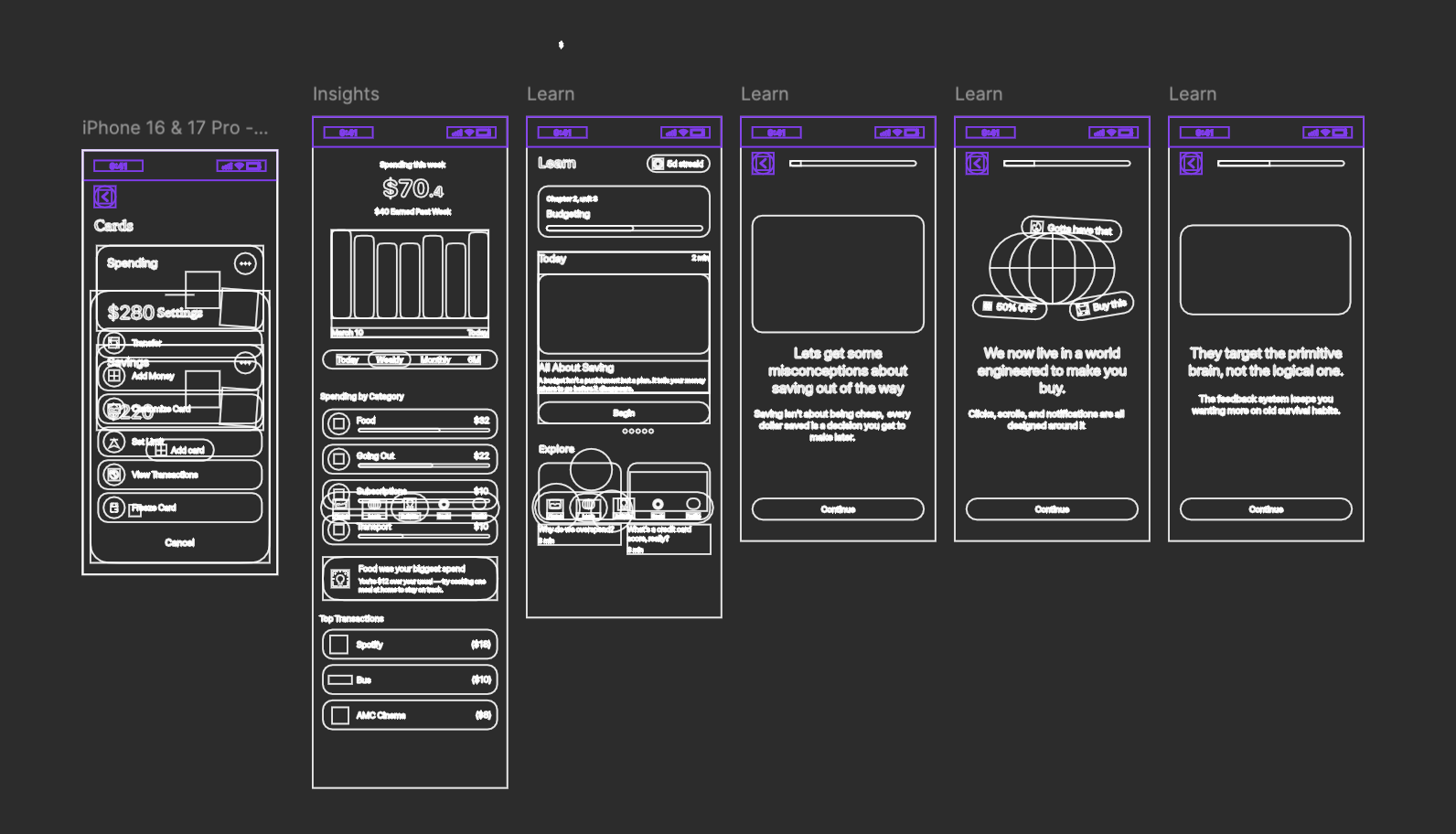
Connect spending with a short lesson.
A spending overview sits alongside the Learn page and a sequence of short screens introducing saving habits.
View full size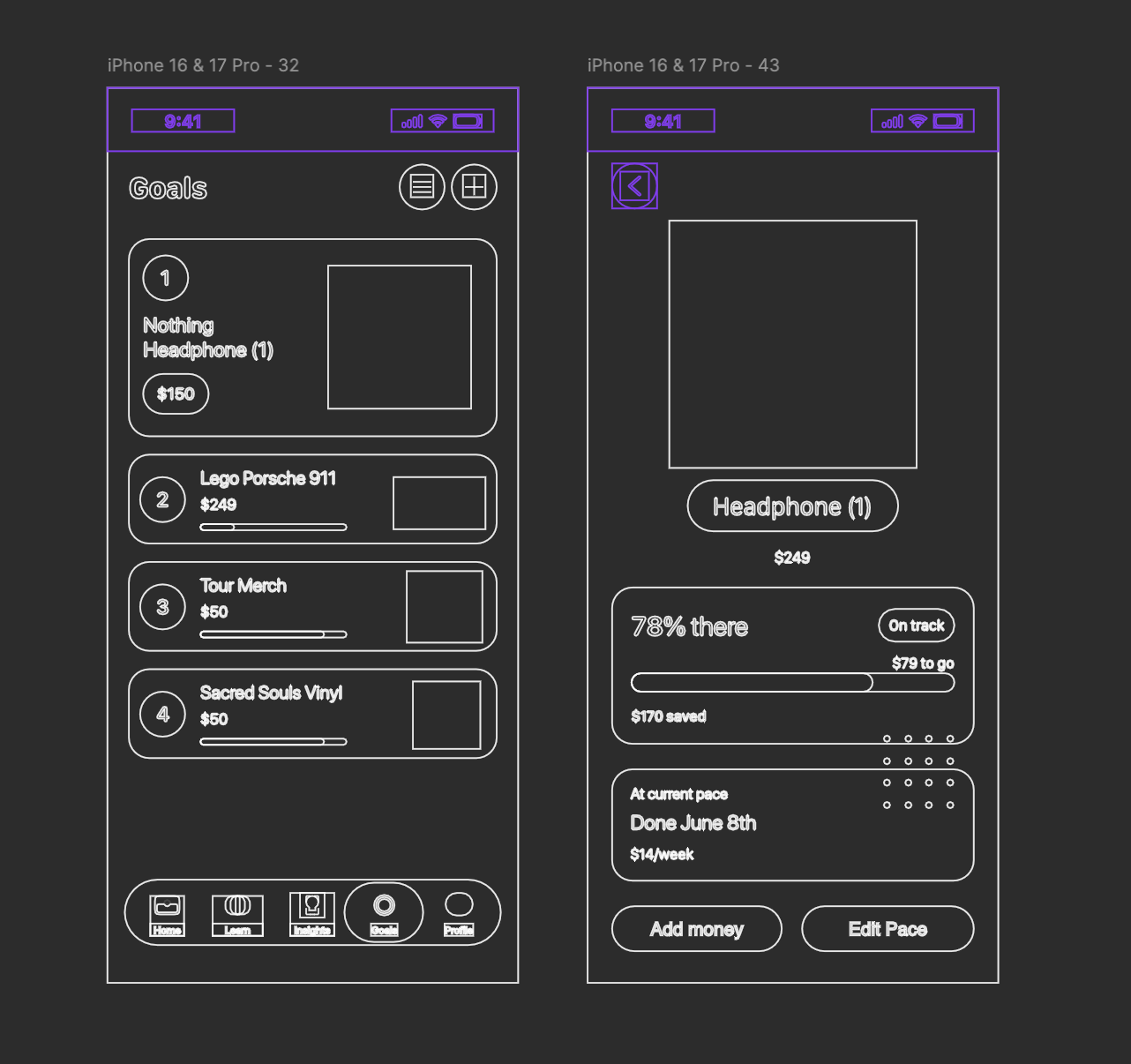
Give each goal a visible path forward.
The goals list leads to a detail view with the amount saved, the amount remaining, a weekly pace, and an estimated completion date.
View full size01 / Everyday money
From checking a balance to paying a friend.
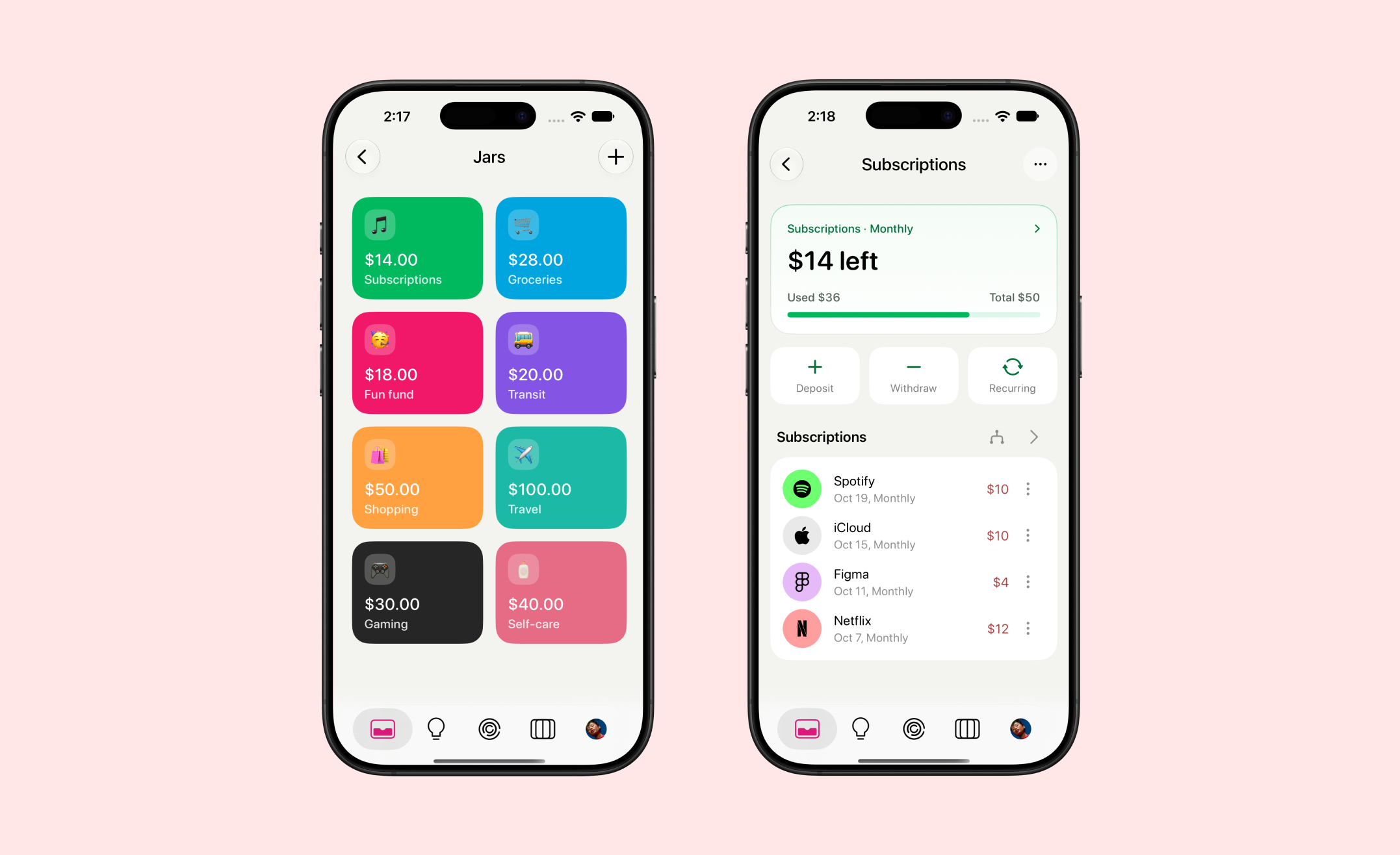
Save and spend with clarity.
Each spending category gets its own virtual card. The home screen shows savings, spending and your total balance together. A weekly tip, such as “Save on takeout this week,” gives one personalized nudge you can act on. Recent transactions include income like chore money, so teens see both what comes in and what goes out.
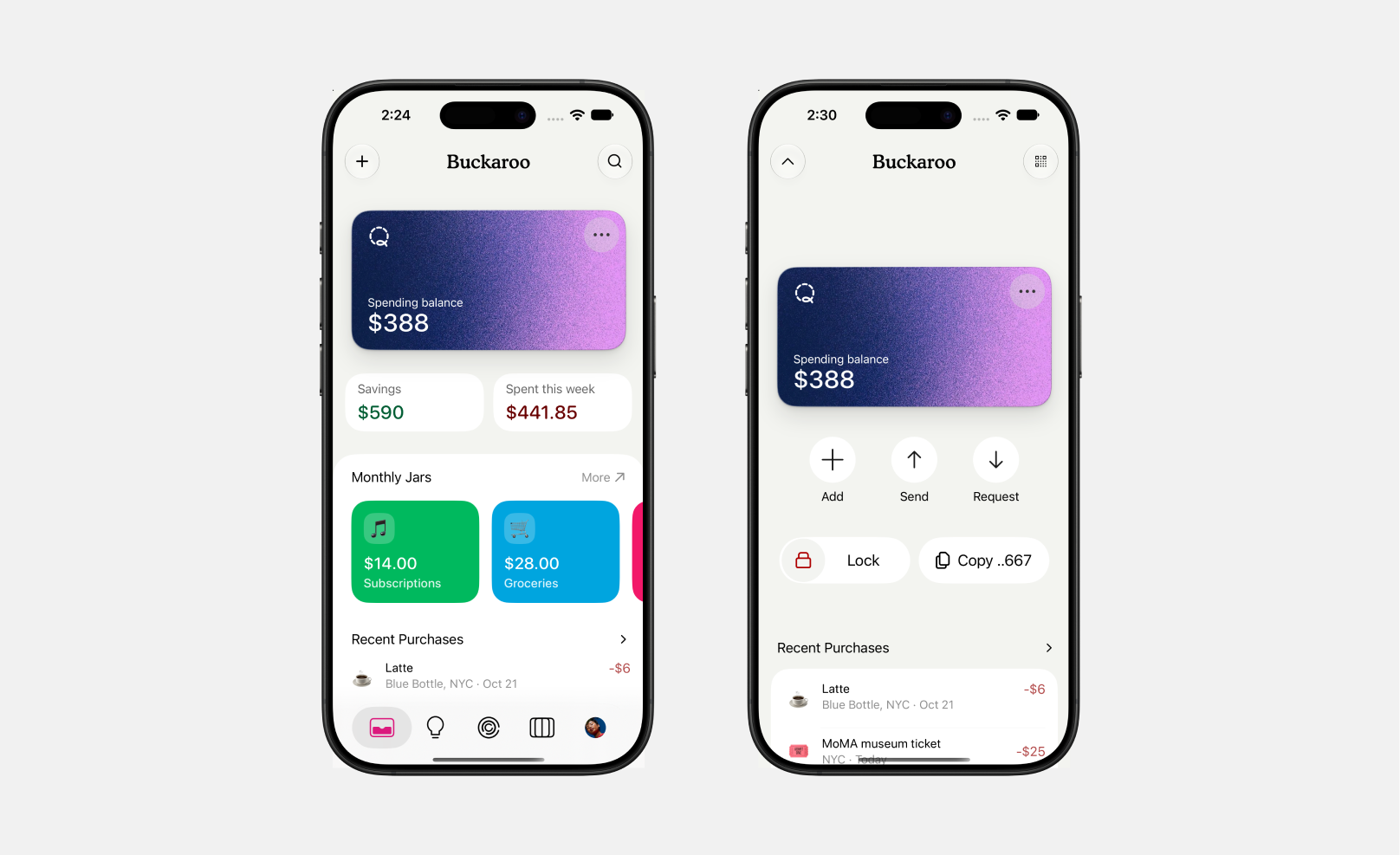
Your wallet at a glance.
Home brings the card, savings, and recent purchases together. Expand the card to add, send, or request money, keeping each action beside the balance it affects.
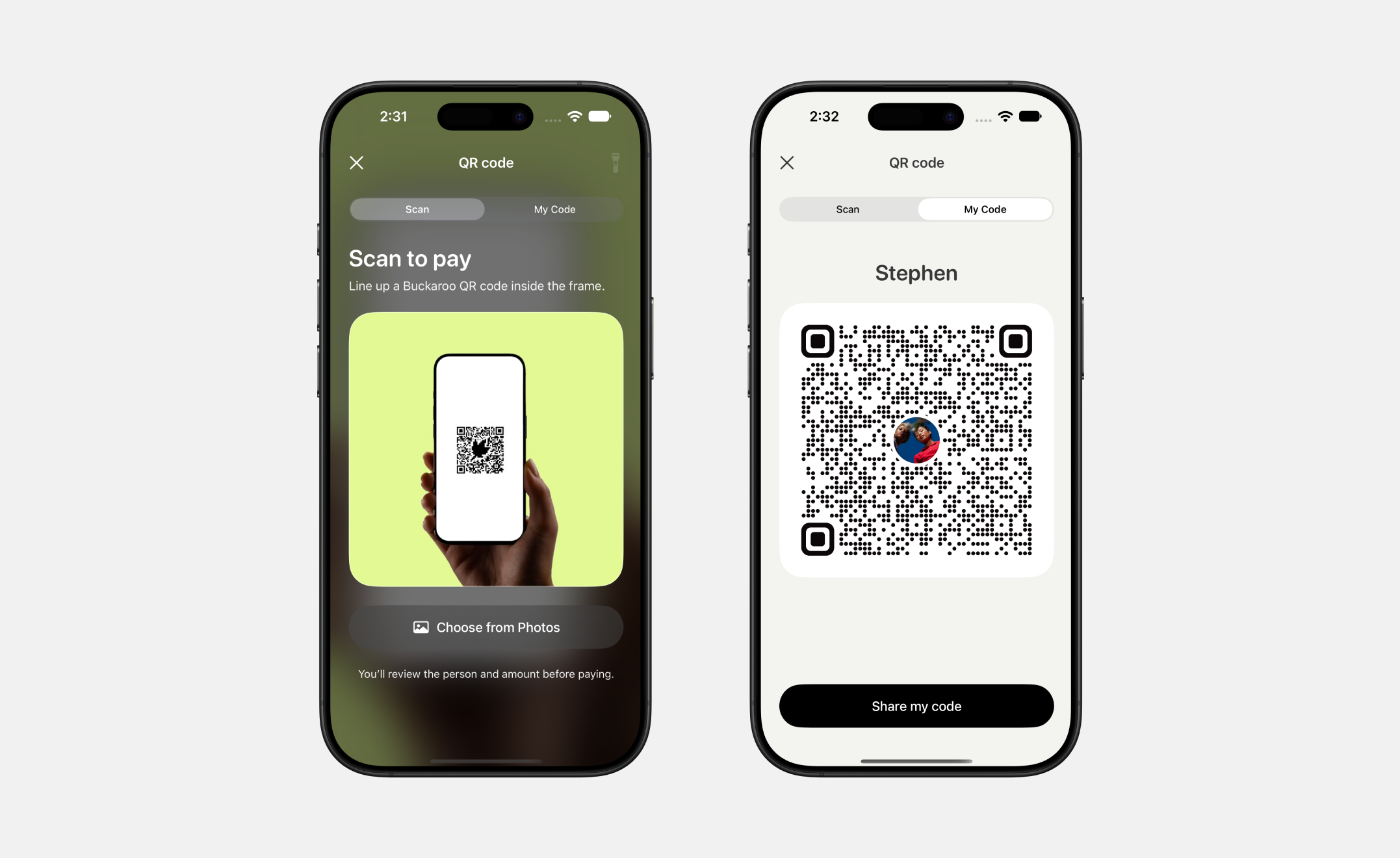
Find someone with a code.
Switch between Scan to pay and My Code to pay someone or receive money. Sharing a personal code gives friends a direct route to the right account.
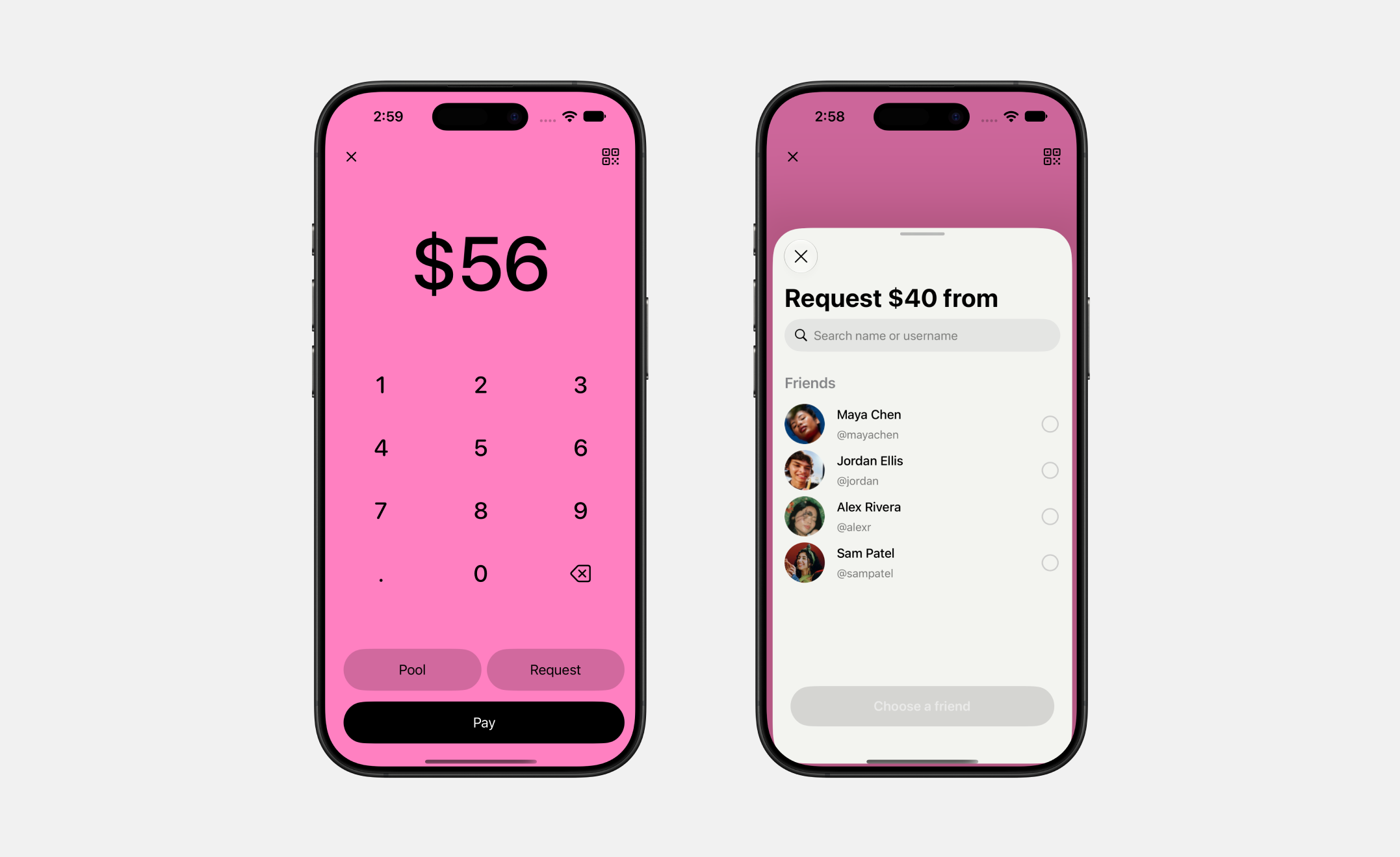
Start with an amount.
Enter an amount before choosing Pool, Request, or Pay. A compact friend picker keeps that amount visible, so choosing a person stays connected to the transaction.
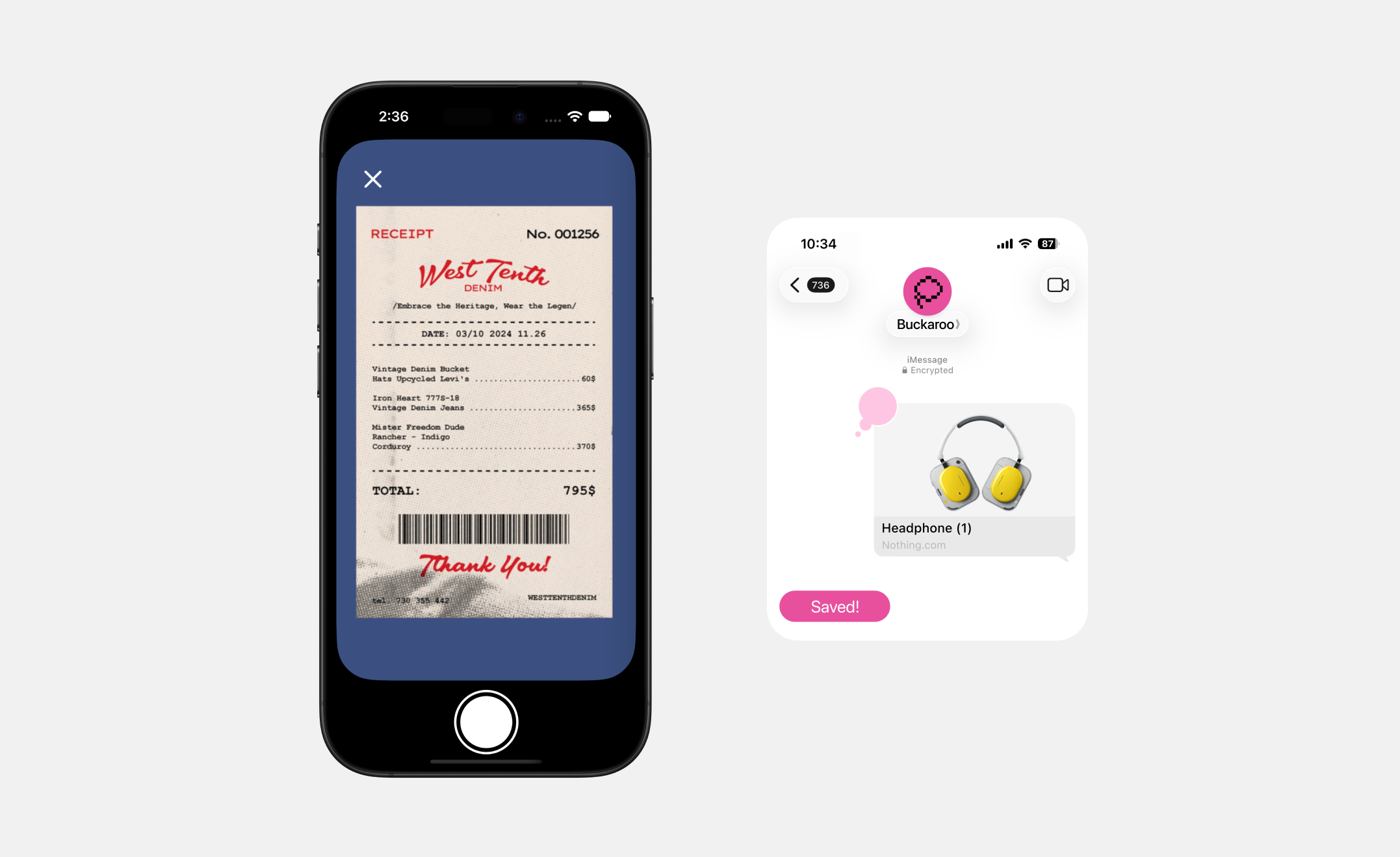
Capture a receipt or save a wish.
Photograph a receipt to bring an offline purchase into the wallet. The iMessage concept explores saving a product link when it catches your attention, before committing to a savings goal.
02 / A personal wallet
A personal card and a clearer spending picture.
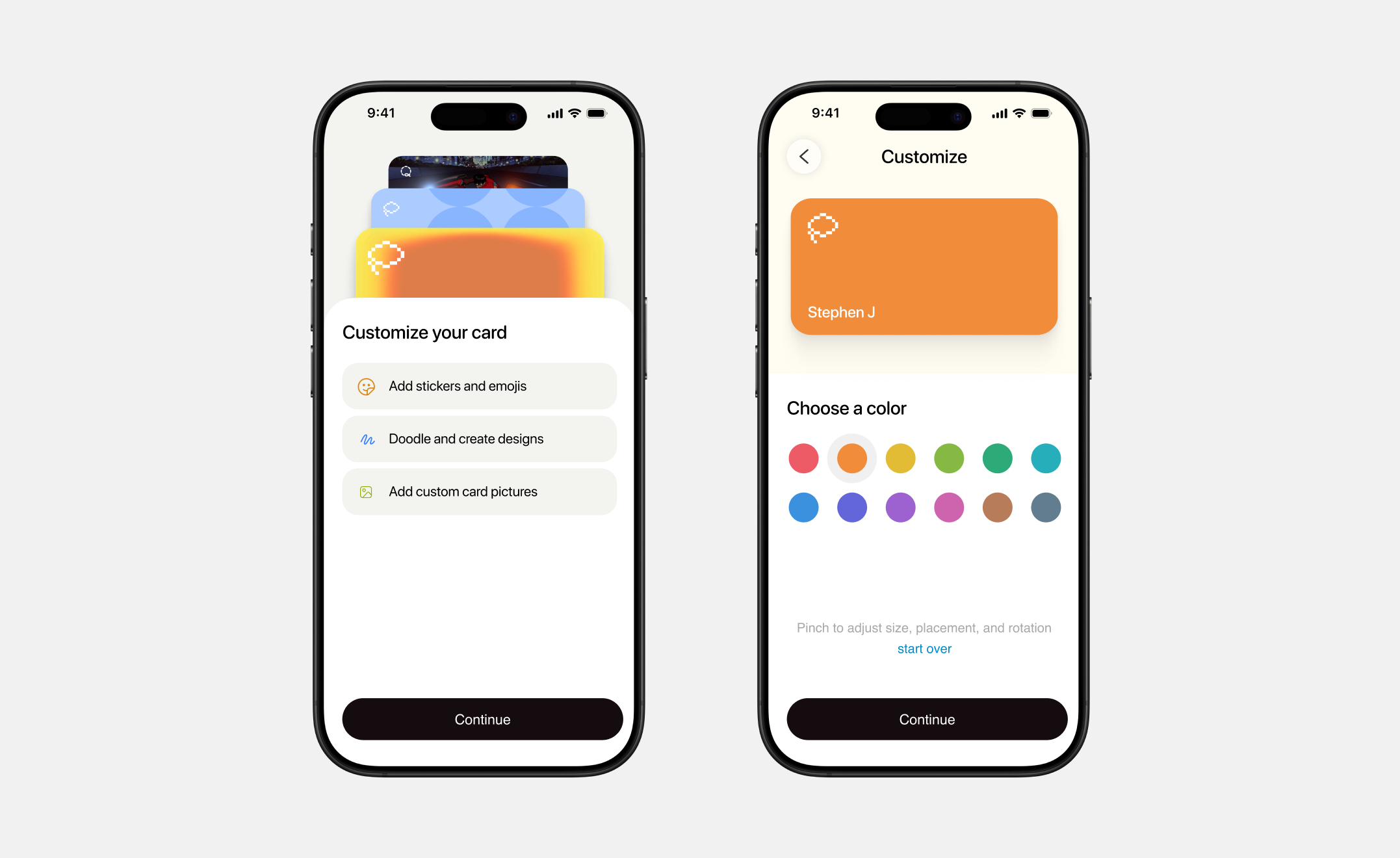
Make the card yours.
Swipe through card styles, add a drawing or sticker, then move it into place. Personalization gives an everyday financial tool a space for someone’s own taste.
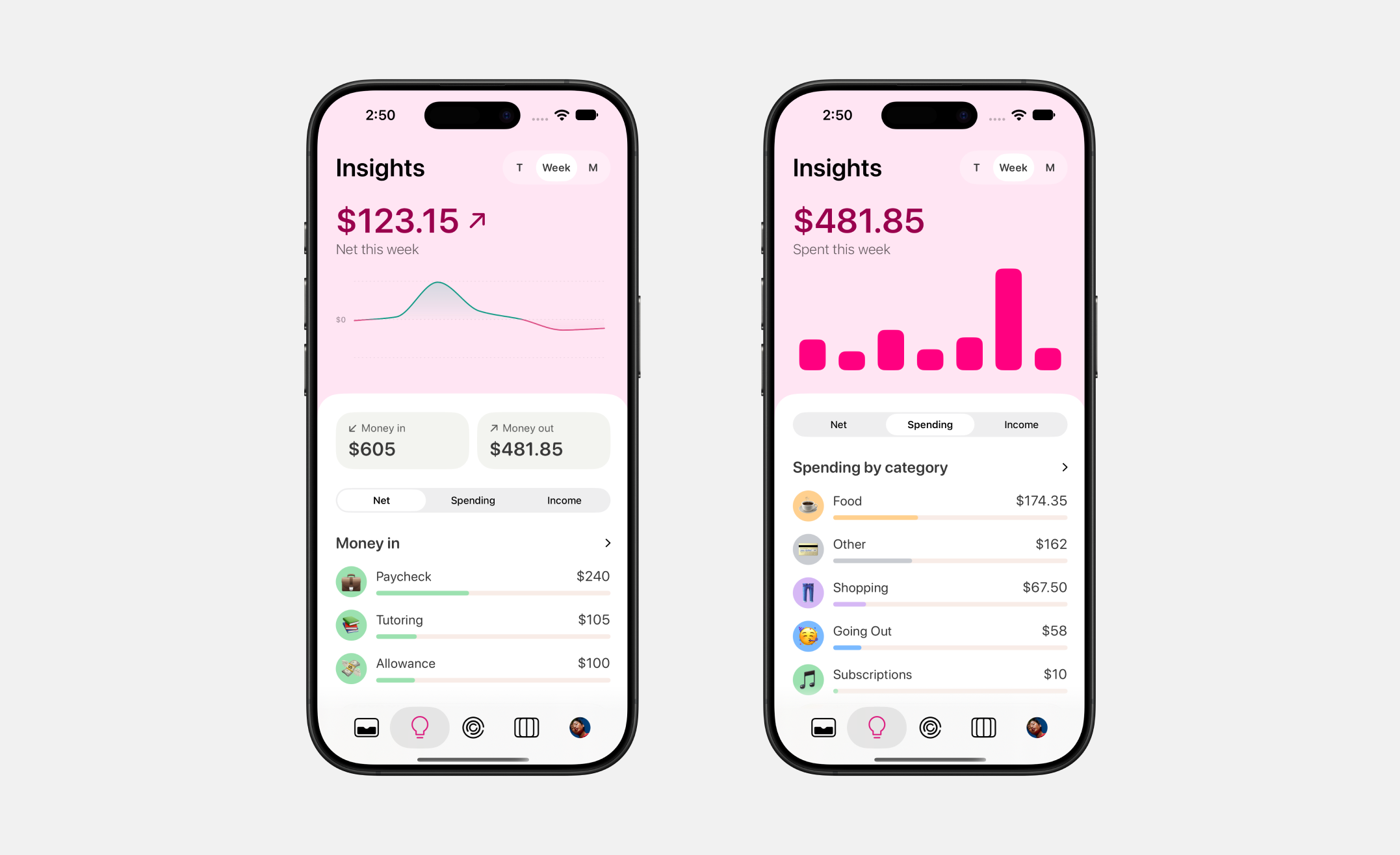
See where the money went.
Switch between daily spending and a longer period to review purchases over time. The breakdown gives individual transactions context, making it easier to notice recurring patterns.
03 / Learning & goals
Learn a money habit, then put it to work.
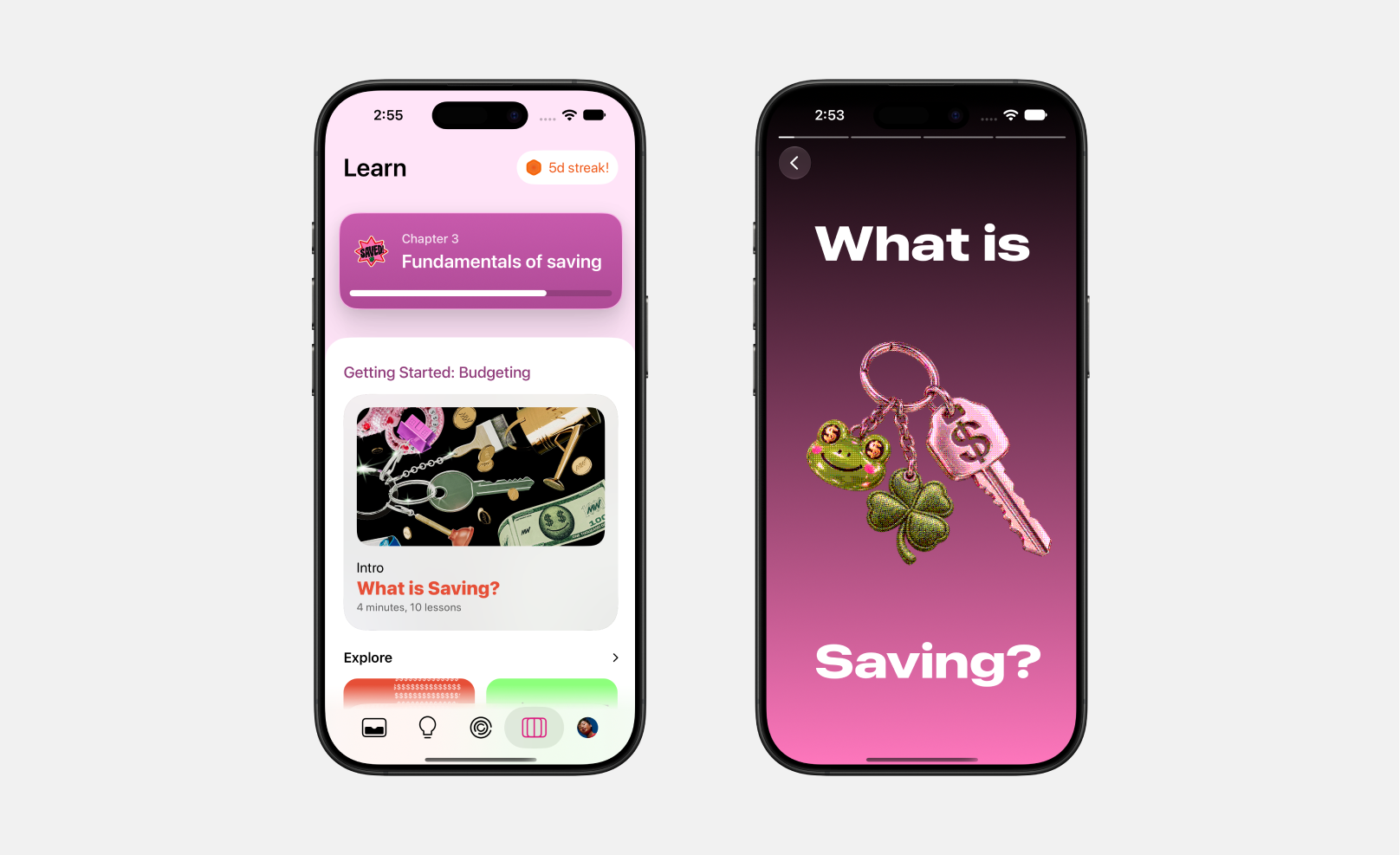
Learn alongside your wallet.
Open a short lesson from the Learn page to explore a money concept. Illustrated stories introduce saving in small steps, alongside the wallet where those decisions happen.
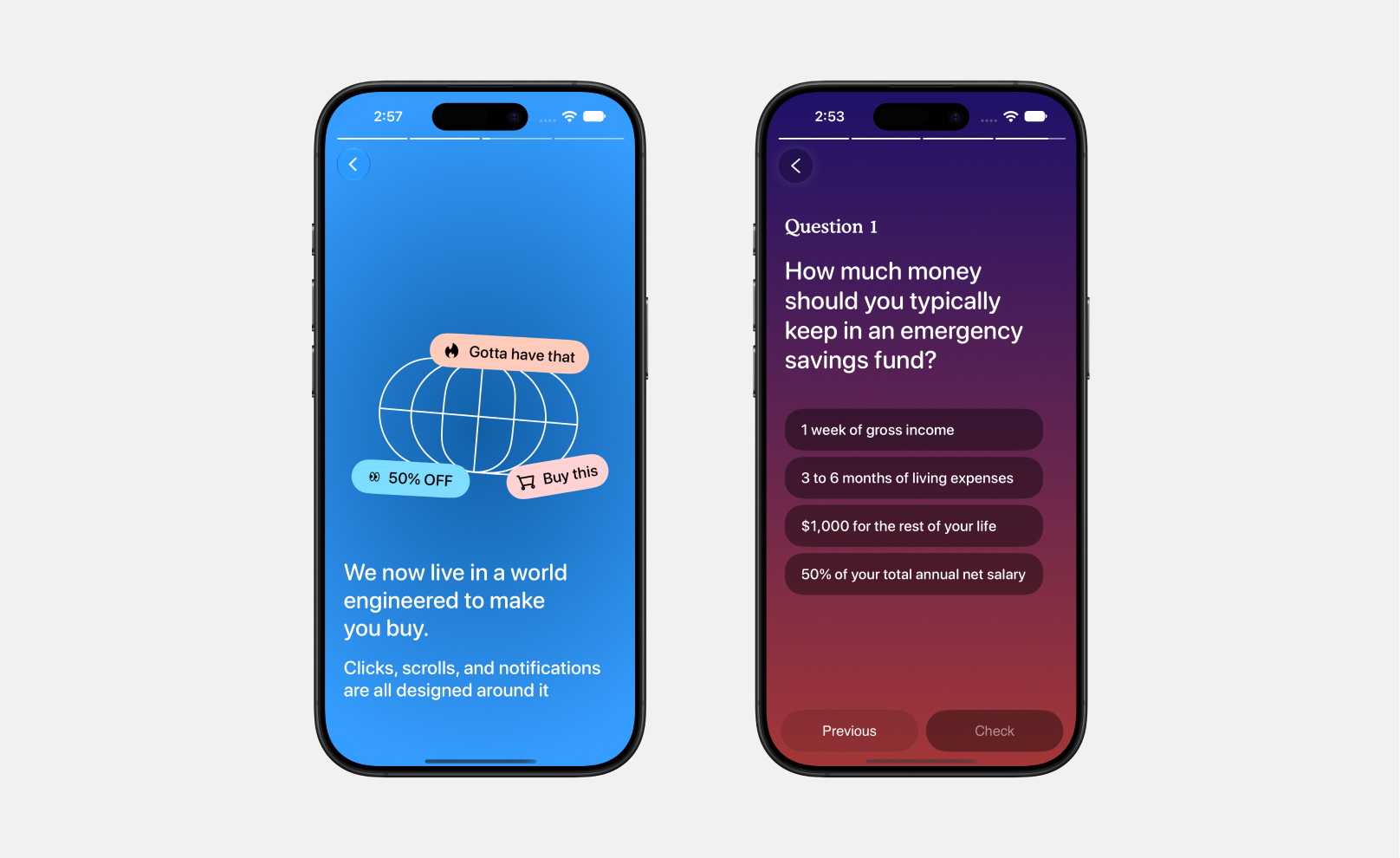
Read a story. Try a question.
Stories connect saving to familiar situations, including shopping and unexpected expenses. A short quiz follows the lesson, giving someone a chance to apply the idea before moving on.
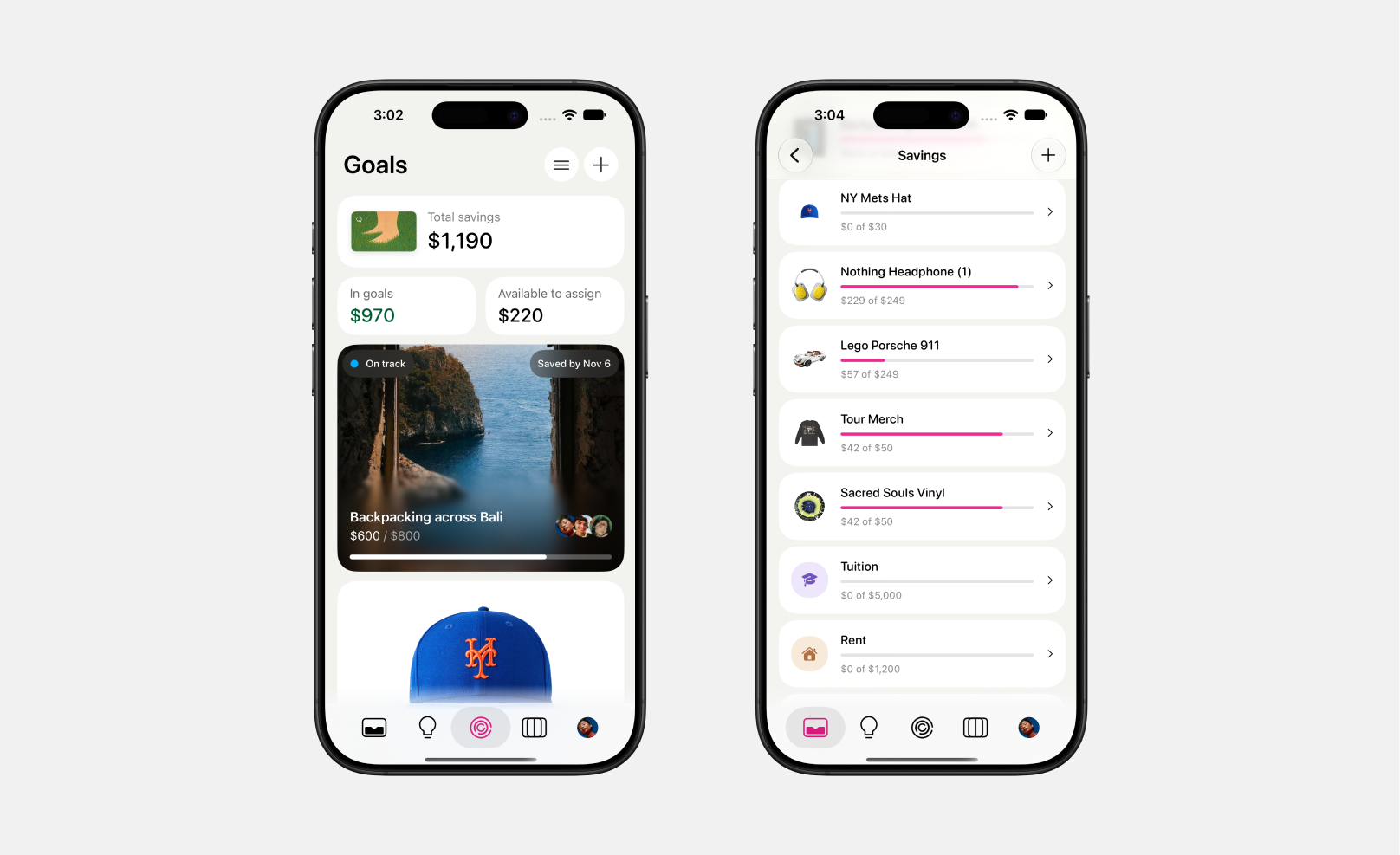
Give a savings goal a name.
Name a goal, give it a picture, and follow its progress as money is added. A trip or pair of headphones makes each contribution part of something specific.
What I learned
Playfulness works when the money stays clear.
Early feedback welcomed the approachable lessons, but exposed confusion between cards and jars. The next iteration needs to make that relationship as clear as the individual screens.
“The learning page felt really intuitive as it makes the subject of money feel approachable.”
“Cards caused some confusion. I wasn’t sure whether the card name should match the jar name or be something different.”
Next steps
Make the next decision feel clear.
The native prototype connects balances, contributions, and progress through shared data. Next, I’ll test whether people can explain where their money is, distinguish cards from jars, and choose their next action.