Move beyond saving
Capture is already well supported. Make adding a source a short step, then focus on what happens after it is saved.
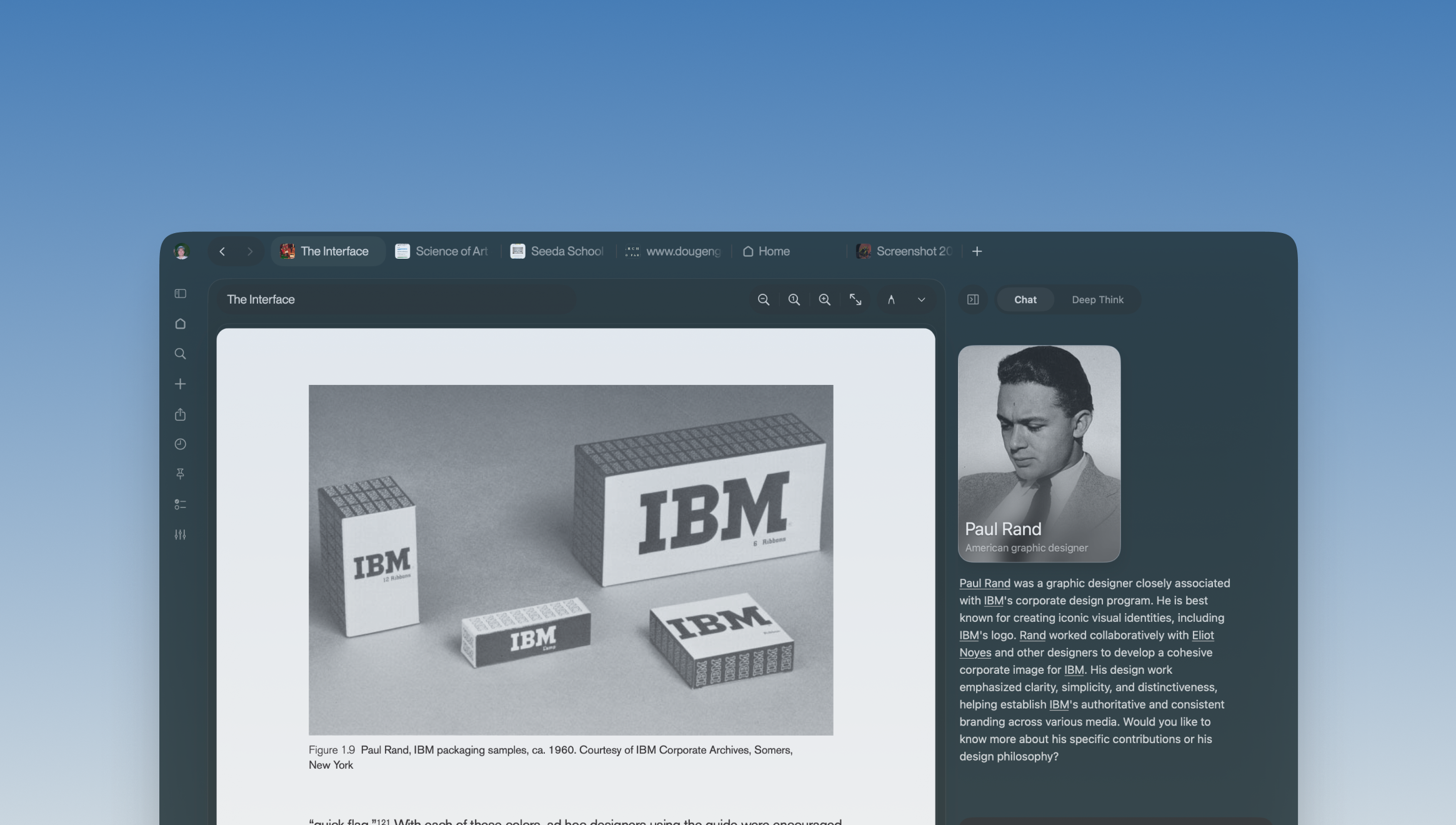
A personal library that
thinks with you
Bring what you collect, what you read, and what you wonder about into one place.
01 / Context
A document, a saved image, a question in another tab. The material can be close at hand while the ideas still feel disconnected.
I’m designing Doppler around the movement between collecting, reading, and making sense of things. The source stays present as the conversation grows.
02 / Research & competitive landscape
A review of Notion, Readwise Reader, and Obsidian looks at how people can collect material, ask questions, and find their way back to a source. These documented patterns shape the design questions below.
The next step is to test these hypotheses with readers; this comparison is desk research.
| Tool | Documented approach | A question for Doppler |
|---|---|---|
| Notion | Clips webpages into pages or databases. Enterprise Search answers workspace questions with source citations.Web Clipper Enterprise Search | How might the active reading and its questions stay visible together? |
| Readwise Reader | Ghostreader supports passage and document questions. Global Ghostreader searches the library with links back to source passages.Ghostreader Global Ghostreader | How might a question carry its reading context into the next session? |
| Obsidian | Web Clipper saves highlighted content locally. Backlinks reveal linked and unlinked mentions between notes.Web Clipper Backlinks | How might related notes become part of a focused reading flow? |
Capture is already well supported. Make adding a source a short step, then focus on what happens after it is saved.
Source citations are a useful pattern. Keep the original reading visible and make referenced passages easy to inspect.
Links create paths between notes. Explore restoring a saved question alongside the passage that started it.
03 / Wireframing the experience
This concept explores the layout before visual polish: a library for finding material, a reading surface that stays open, and a conversation connected to the source. Step through collecting, asking, and returning to a saved question.
04 / The library
PDFs, websites, images, and videos share a visual library. Folders, pinned items, and recent reading make it possible to pick up a thread without rebuilding the context.
Search starts with what you remember: a title, a topic, or a folder. The same place that helps you find a source can help you organize it.
Read a PDF, revisit a link, or browse a visual reference in the same workspace.
Use folders and pins without removing a source from the rest of your library.
Keep open readings and recent conversations within reach.
05 / The reading experience
The reading surface is the anchor. Select a passage, attach it to a question, and bring the companion into view beside the document.
The native reader keeps the page centered while the library and conversation occupy the surrounding space. Help can appear without pushing the reading out of the way.
The document is the anchor.
The assistant is a companion.
06 / Room for curiosity
A person or place in a reading can become an inquiry card, with photography and a path back to its source. The answer can become something to explore, not just another block of text.
Cards live beside the reading. The original document, the conversation, and the visual reference stay part of the same context.
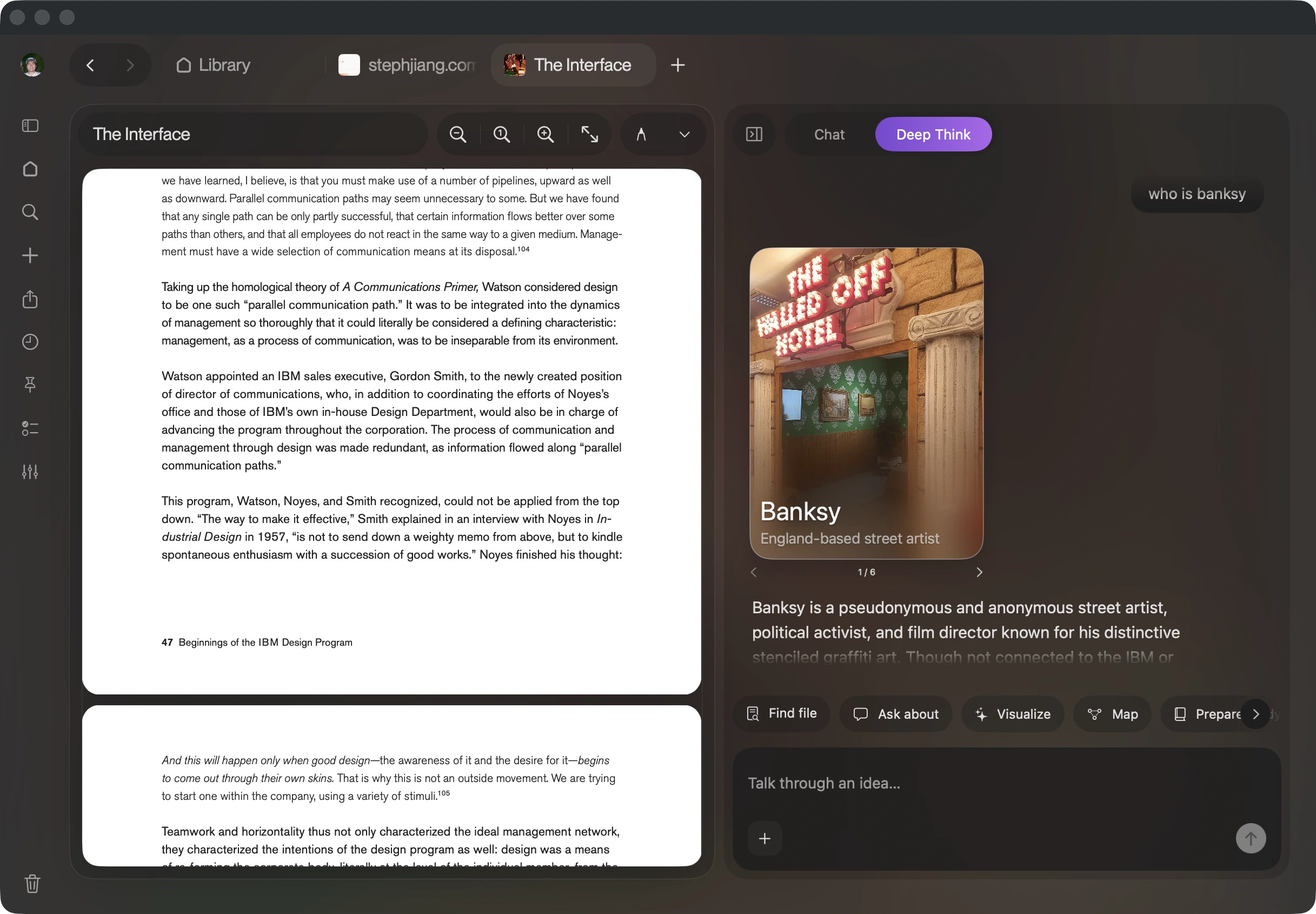
Photo sources and credits remain available with the inquiry card.
Explore an unfamiliar name without losing the passage that raised the question.
07 / Learning through dialogue
Doppler’s study flow turns selected readings into a check you can attempt in your own words. Feedback stays connected to evidence, with actions to reread, discuss a gap, or try again.
The goal is to make the next step approachable. Feedback encourages another attempt and makes it easy to return to an idea that needs more attention.
Answer, inspect the evidence, then try again. This sample demonstrates the native prototype’s study flow.
Interactive prototype · sample reading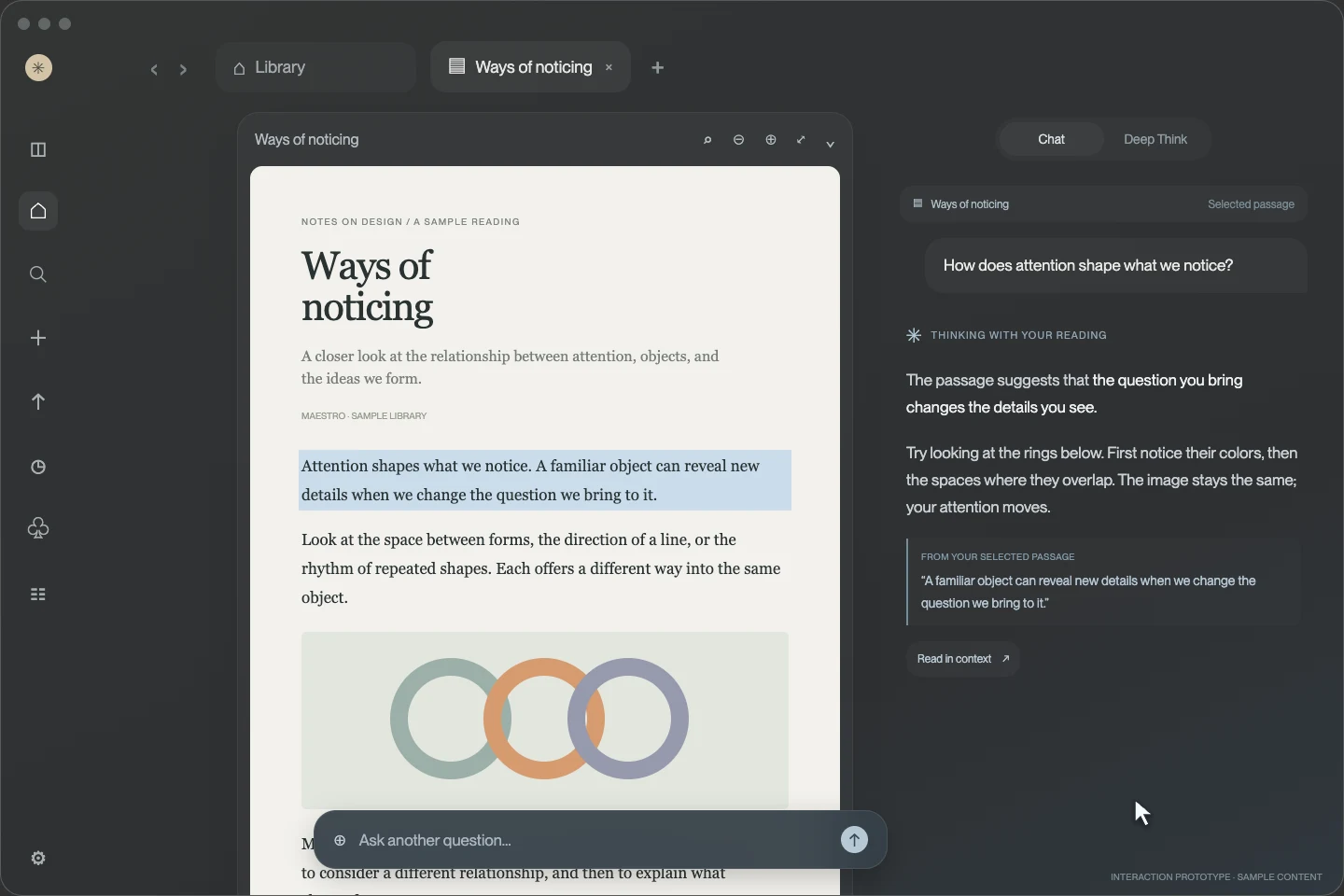
08 / Building the product
Building the native prototype lets me work through the small decisions that shape the experience: how a panel opens, where a question belongs, and what stays visible when the reader changes direction.
The next step is to test whether people can follow a response back to its source, resume an interrupted line of thought, and choose the amount of help they want.