The problem
Powerful features were hard to understand.
The robots could detect stains with advanced laser sensing, sweep room by room, and share live progress. We wanted to show people all of these capabilities, but surfacing every detail made it harder to understand what the robot was doing. The designs underperformed in user testing.
Testing favored an intuitive interface that prioritized the status people needed most: which room the robot was in, when it finished a room, whether it detected a stain, and what action it would take next.
The aesthetic-usability effect informed the visual direction, while testing guided which details to surface. A clearer interface, with secondary details kept in the background, helped people understand the robot’s behavior and build trust in it.
My contributions
Making robot behavior easier to follow.
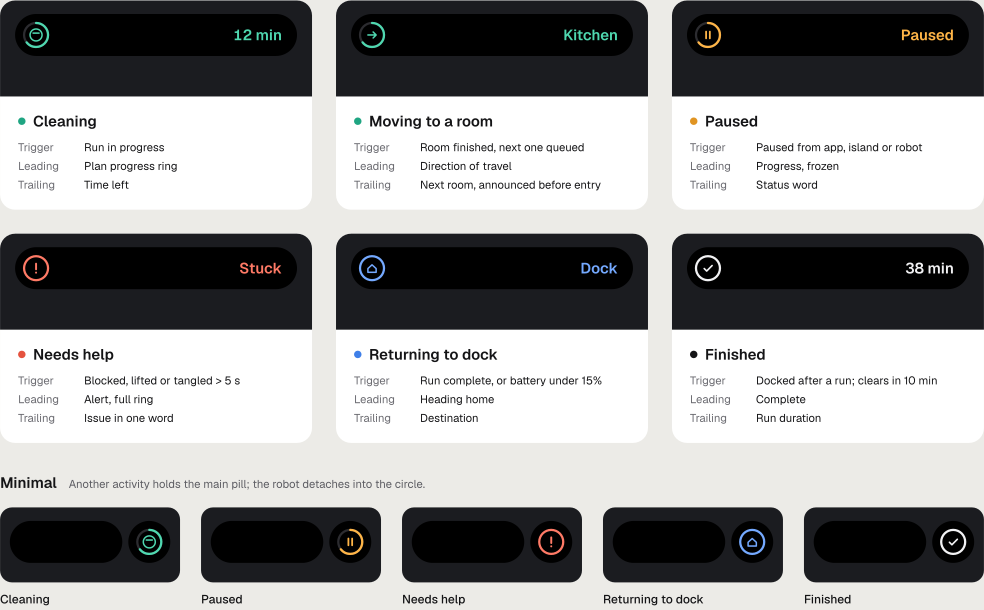
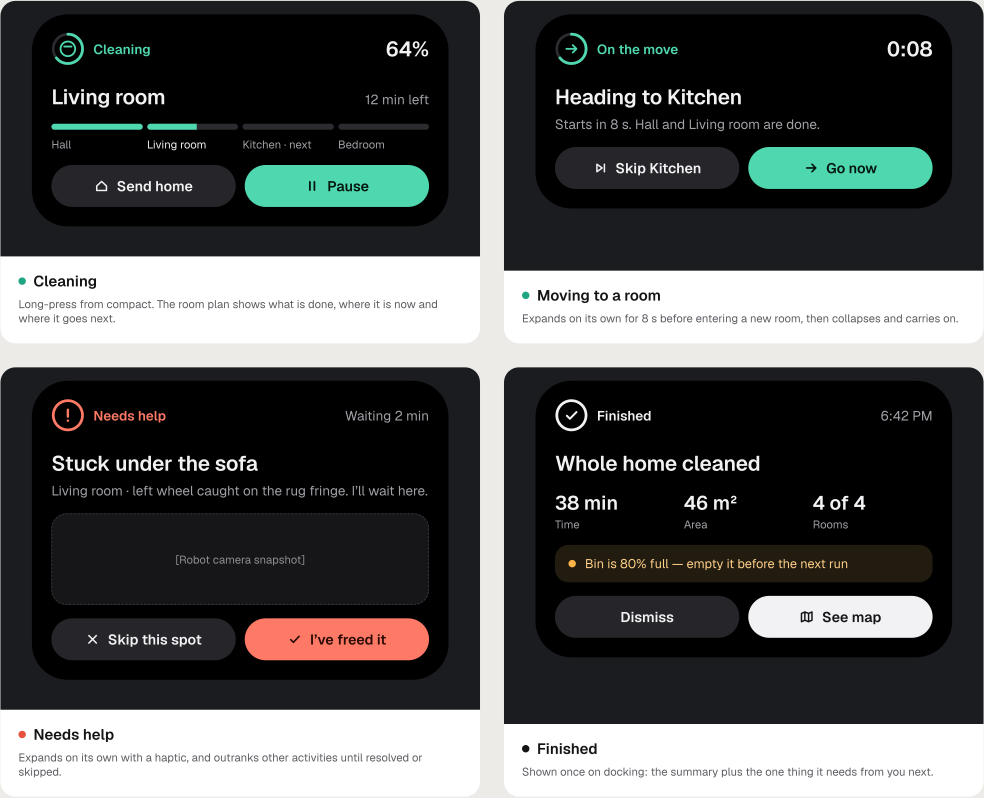
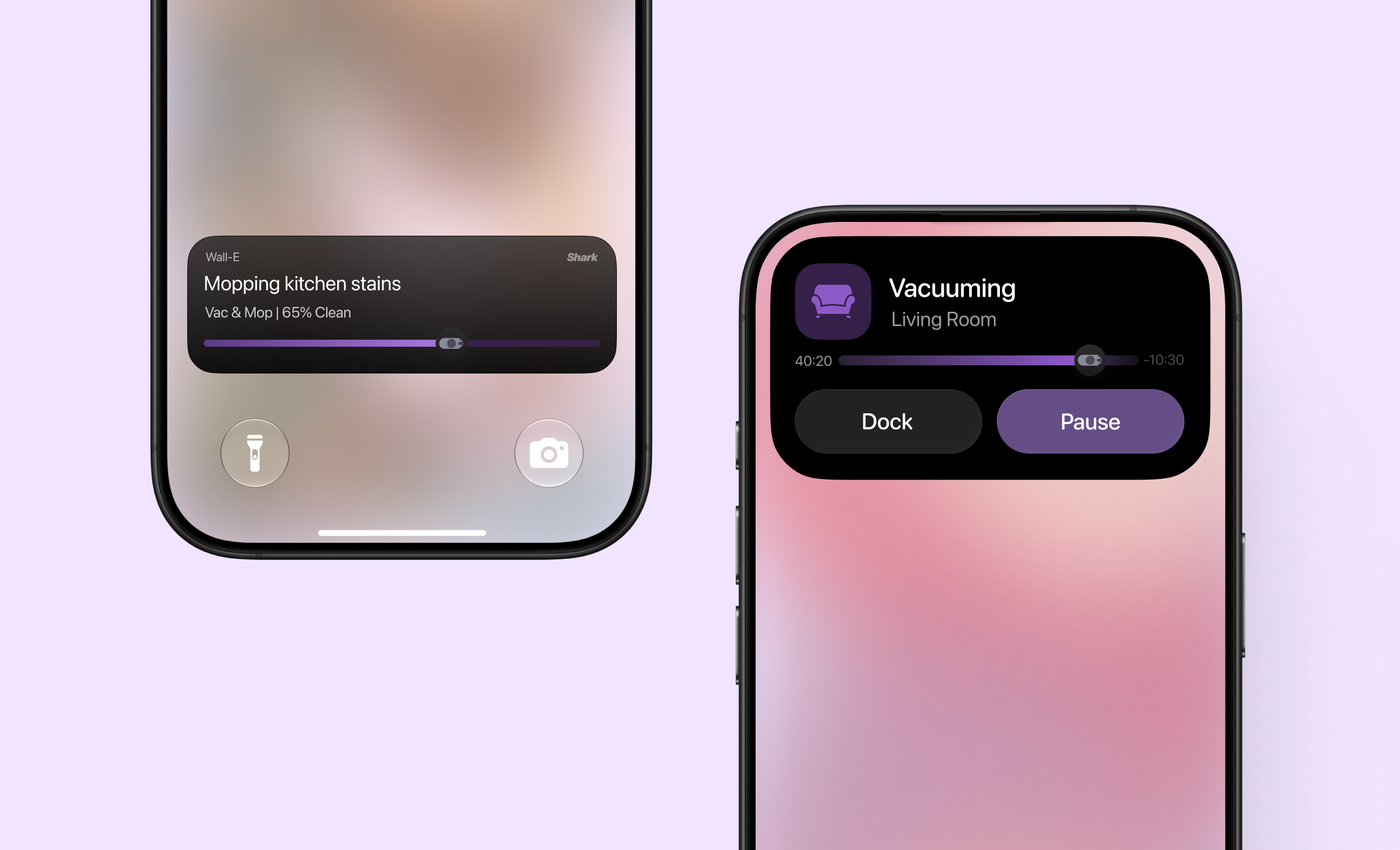
I led and owned the iOS Live Activities and Dynamic Island designs for the robots, bringing timely cleaning updates and essential controls to the Lock Screen and Dynamic Island.
My work also included a series of app redesigns that remain under NDA.
In user testing
- 60% less time
- to complete onboarding
- Half the time
- to understand robot status
Live Activities
Cleaning progress, right on the Lock Screen.
The current room, room-by-room progress, and next action sit together with quick controls to pause cleaning or send the robot home.